TL;DR

People go to Google searches and other methods outside of Meta to understand and address their privacy concerns. This can lead users to unrepeatable sites to get information about their problems. Privacy Center is a situation-based solution that allows users to learn and manage their privacy across the Meta family of apps.


As of January 2022, Privacy Center has launched! Here is an article about the experience.

Introducing Privacy Center
We’re introducing Privacy Center, a new place to learn more about our approach to privacy across our apps and technologies...
www.about.fb.com/

Team

Product Design: Lee Jones, Abby Mills

Content Design: Emily Shields, Misti Pinter

User Research: Denise Sauertig
Product Manager: Alex Andon

Context

Before 2022, Meta lacked a cohesive story around its privacy practices. People interacted with privacy through isolated touchpoints including consent moments, policies, and settings, each scoped to individual products. This fragmented approach made it difficult for users to understand their rights, often pushing them to rely on external sources like articles and blog posts to piece together how to control their own experience.

User Problems

Meta’s privacy controls and privacy story are fragmented. There is a lack of a place to learn about the privacy concerns someone may have and how to address them.


5 core privacy concerns emerged from this research:

  • Security: How you can keep your account secure
    • “My account was hacked. What can I do?”
  • Sharing: Who can see what you shared
    • “I’m unsure who can actually see my content.”
  • Collection: What information Meta collects
    • “Is Meta listening to my conversations?”
  • Use: How Meta uses your information
    • “How is my information used by the app?”
  • Ads: What determines the ads you see
    • “I’m freaked out by a creepy ad I saw, and I don’t know what to do.”
 

These five concerns became the foundation of our design direction and shaped the initial topics the Privacy Center would cover.


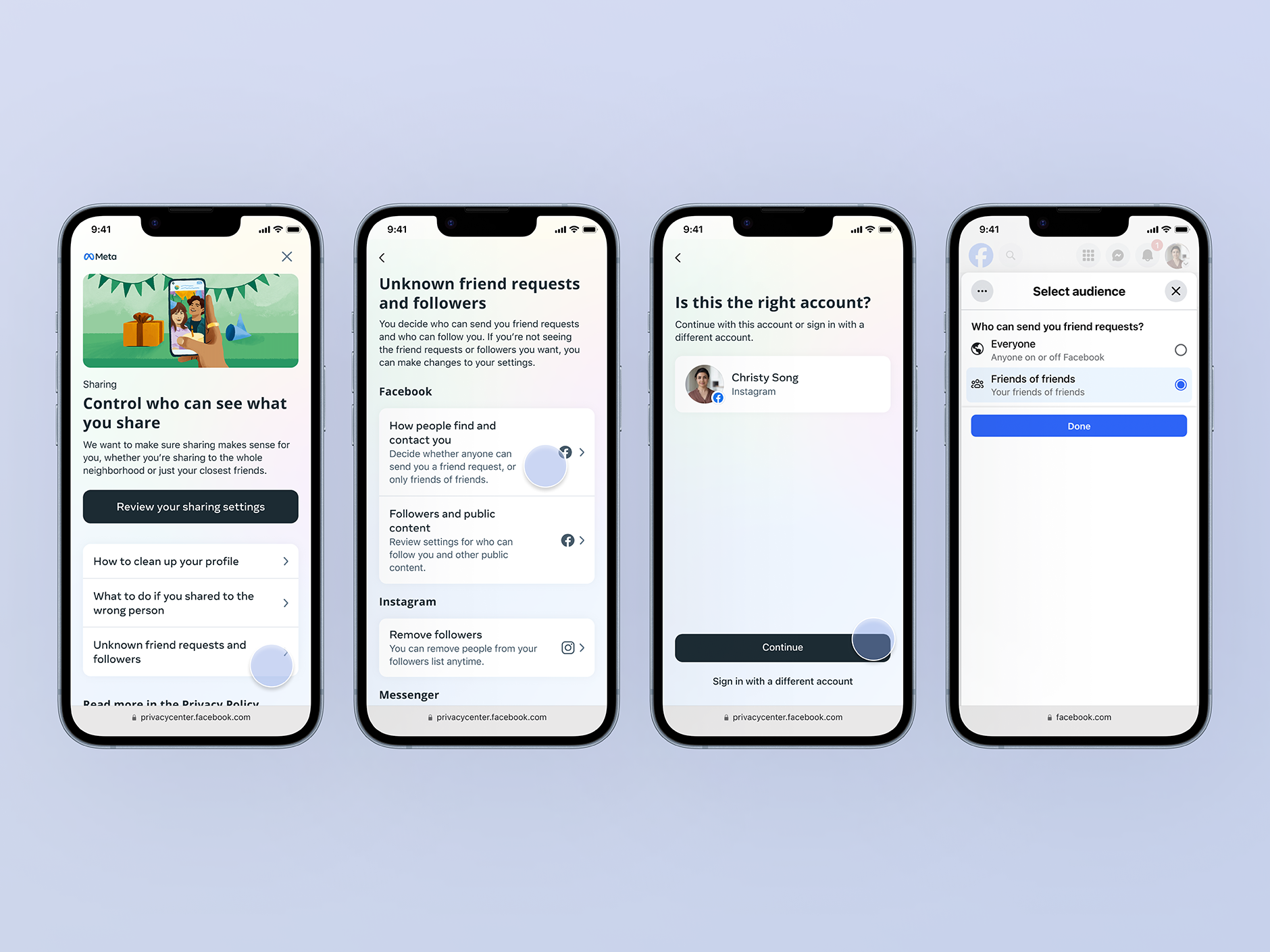
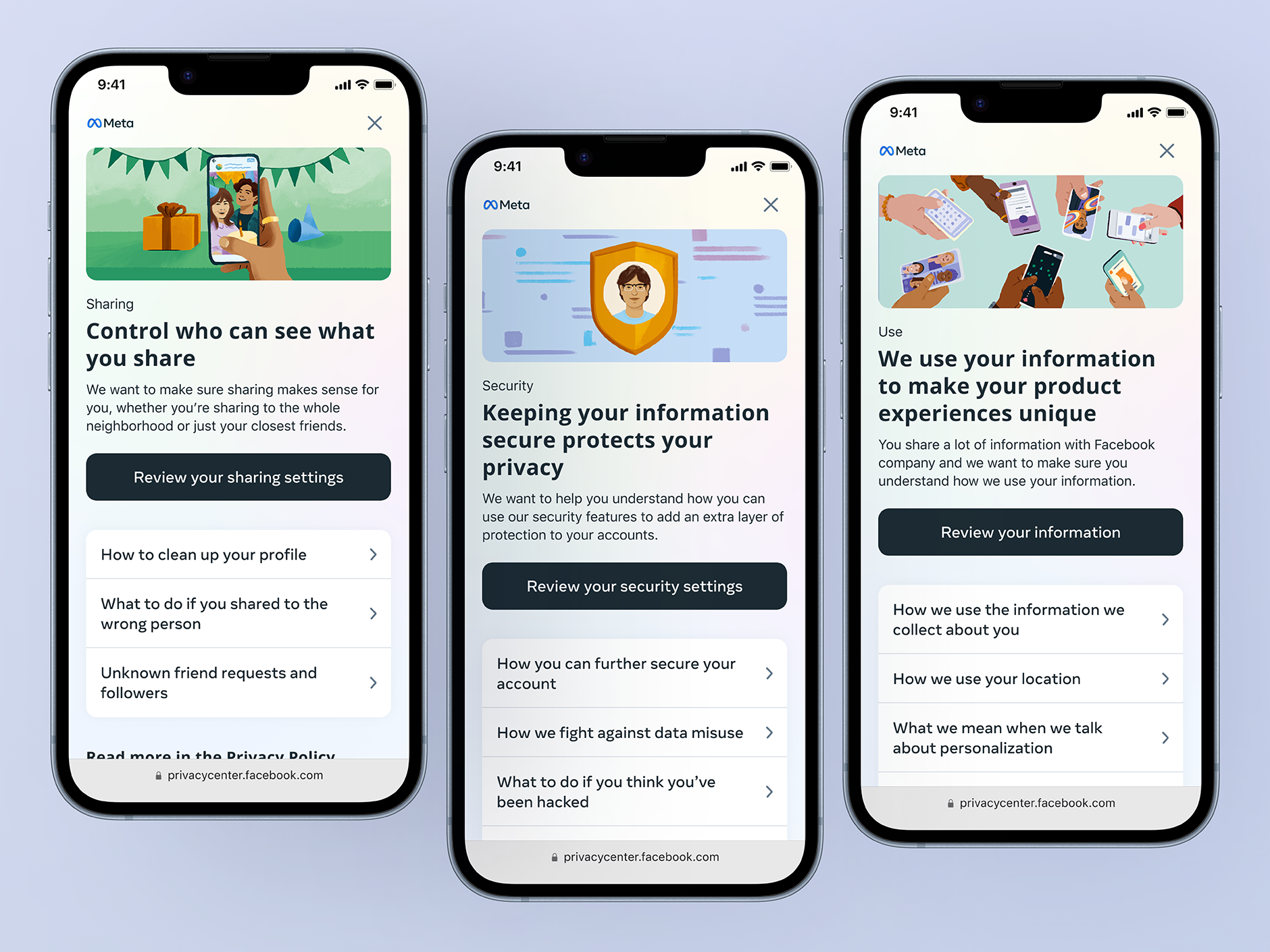
Designs for each page in Privacy Center

Goals

User Goal: Quickly, understand a privacy concept, understand if it relates to me and know what actions I have to solve it.

Business Goal: Educate people on their privacy options and make it easier for them to understand how our practices affect them. So that they feel comfortable and empowered using Meta’s products. To reduce the prevalence and severity of tangible people problems people were reporting to us, and to increase people’s trust in Meta.

Core audience and scope

Privacy Center’s core users for the initial scope were low-technical literacy users of the Facebook, Instagram, and Messenger apps. Technical literacy is defined as an individual’s ability to independently and effectively use technology tools to access, manage, integrate, evaluate, create and communicate information. Technological literacy prepares individuals to make well-informed choices in their role as consumers.

The design strategy

Our design approach was to focus on 4 main things:

  1. Help people find the answers to the problems they have, quickly.
  2. Be intentional with the navigation to ensure people know where to go and what actions they can take.
  3. Help set context for actions and concepts.
  4. Meet people where they are in thier understanding.

How the final experience manifests

1. Simplified the structure of the pages

“Concerns” are problems or challenges research has found are shared across platform by people. When people have a privacy “concern”, people need to be able to locate the solution as quickly as possible.


In the new designs, we structured the page with 3 key points:
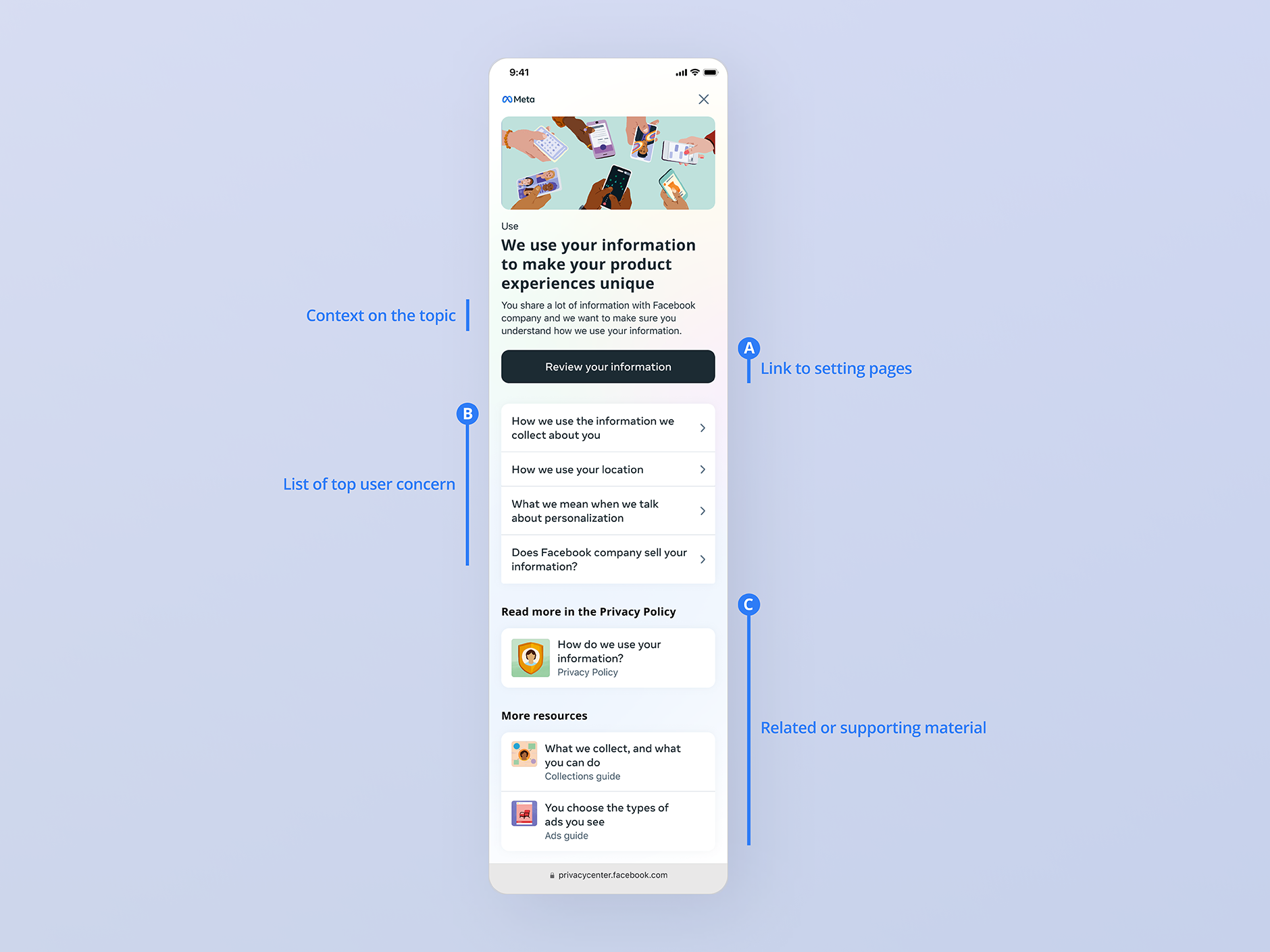
  1. Quick access to the associated settings page. This was to address the needs of power users who understand privacy concepts or wanted to focus more on achieving an objective. For instance, resetting their password or blocking someone.
  2. Give context to the privacy concerns. This was to provide context to specific questions a user might have and what actions they have to resolve it.
  3. Provide links to additional material that helps reinforce the concept or provide additional help.

2. Simplified the overall architecture of the site.

The previous design focused more on education, which led to layers of information the user had to sift through. The final design approach was to balance task completion with learning. So that a person can understand that the information provided is related to their circumstances and what immediate next steps they have to rectify their concern. People come to our platforms to engage with other people not learn about privacy. So simplifying the structure made it easier for a person to find what they need and go about there day.


3. Context! Context! Context!

One overlooked thing in design, I believe, is content. The simple addition of a well-crafted, straight to the point sentence or a header, can help set people up for success. However, context also permeates through setting expectations of where their clicks will take them. Since This is a surface that spans across multiple products, we need to set people up for success in addressing the right profile on the correct product.


4. Meet people where they are

'Meeting people where they are', meant respecting what they already know. For many users, that meant working within their existing understanding of Meta's Family of Apps, which encompasses all Meta-owned products including Facebook, Instagram, and Oculus, and how they function together as a connected ecosystem. Rather than introducing new mental models, we designed around the landscape people were already familiar with. This also meant writing in plain, accessible language that any user could understand regardless of their technical background. From a design perspective, this meant clearly defining what the Family of Apps means in the context of privacy, and showing users how their concerns could be identified and resolved within each specific app.


Design of a “concern” page. Meeting people where they are means that we tell a person how they can solve problems in each app specifically.

How we measured the success of our designs?

Our research partners developed a set of heuristic evaluation criteria, a usability method that identifies real interface problems so they can be addressed through iterative design. These criteria were distilled from actual user research into a list of scenarios reflecting genuine pain points.

Testers were given a high-fidelity prototype along with these scenarios and asked to navigate the experience to understand could they complete the given task. After completing they were given a survey to rate their experience. The results were then benchmarked against the same survey administered on the previous design to determine if their was discernible change.

Conclusion

We developed a scalable design system that has been used by other teams to educate users on specific concepts and provide access to the tools they need to solve their problems. Such as the “Teens” guide, which provides privacy-related education and tools for people under 18 years of age.

Since its launch, Privacy Center has seen success in helping people solve their privacy concerns quickly.

Reflection

Simplicity is powerful. Whether you are presenting to legal or walking stakeholders through your work, questions will arise and gaps will surface. Taking a step back to realign around the core problems and asking whether your experience actually solves them is one of the most effective ways to stay focused.

Know what you are solving for. Without a clear understanding of the core problem, it is difficult to have real conviction in the experience you are building. Feedback comes from everywhere, and having a firm grasp of your goals gives you the clarity to know what to act on and what to set aside.

Never underestimate the power of a great content designer. Not every problem requires a UX or UI solution. A single well-placed, clearly articulated sentence can do as much work as any design pattern or visual treatment. Content is one of the most valuable and most overlooked tools in the design process.